How to copy photos from an iPhone to a USB drive
PicFrom for iPhone copies your original photos and videos to a USB drive or flash drive plugged into the phone. No computer is involved, nothing is deleted from the iPhone, and next time only the new photos are copied.
What you'll need
- An iPhone with iOS 16 or later and the free PicFrom app.
- A USB drive or flash drive formatted as exFAT or APFS. How to check the format.
- A USB‑C cable for an iPhone with USB‑C, or Apple's Lightning to USB 3 Camera Adapter for an older iPhone.
- Enough free space on the drive. PicFrom shows the size of your library before copying.
Where the photos go
PicFrom creates a PicFrom folder on the drive with a separate archive for this iPhone. Inside, photos and videos sit in folders named Year / Year-Month / Year-Month-Day. They are ordinary files that open on any Mac or Windows PC.
How to copy your photos
-
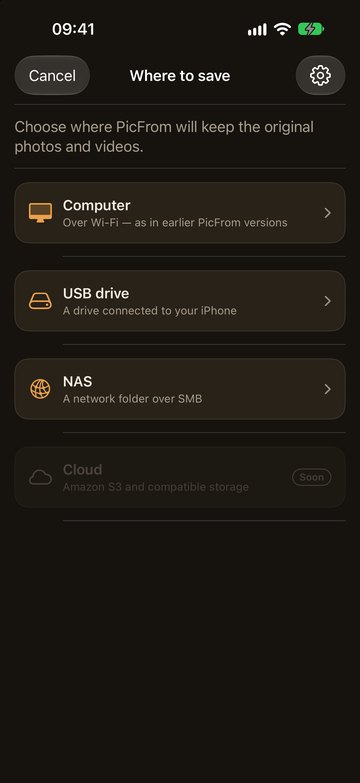
Plug the drive into the iPhone, open PicFrom and tap Where to save, then USB drive.
The first time, PicFrom asks for access to your photos. Allow full access so it can copy everything.
-
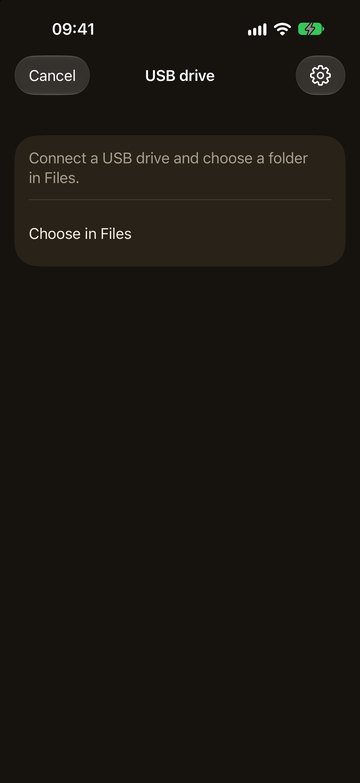
Tap Choose in Files and pick the drive.
You can pick the drive itself or any folder on it.
-
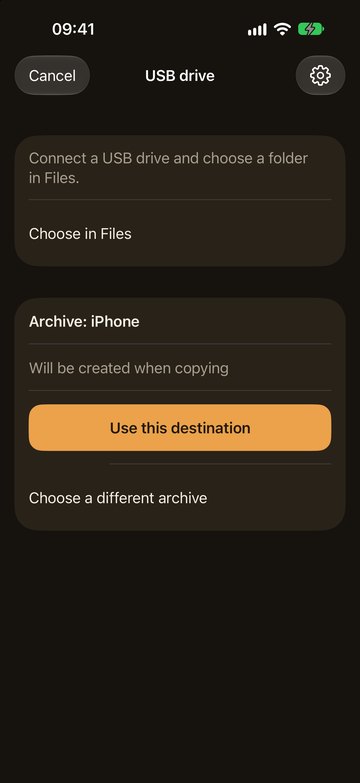
Tap Use this destination.
If the drive has no archive yet, PicFrom creates one when the copy starts.
-
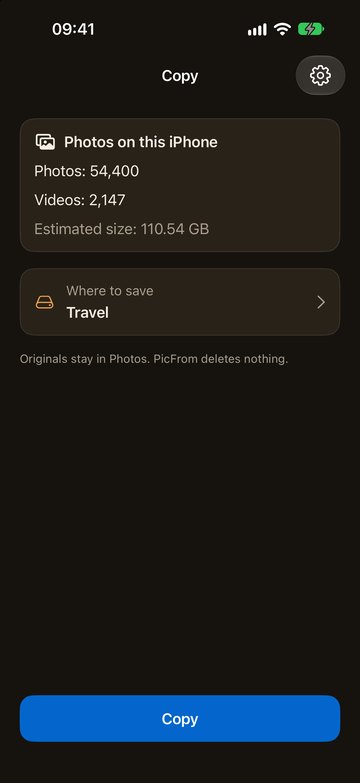
Tap Copy and keep PicFrom open until it finishes.
Keep the iPhone on the charger. You can let the screen dim itself while it copies.
Next time
Plug in the same drive, open PicFrom and tap Copy. PicFrom remembers what is already in the archive and copies only the photos you've taken since. A different drive gets its own archive.
If something goes wrong
- If the iPhone doesn't show the drive in Files, check the cable or adapter and the drive's format. An iPhone can't write to NTFS drives.
- A large hard drive may need more power than the iPhone gives. Use a drive with its own power supply or a powered hub.
- If the drive comes unplugged, PicFrom waits. Plug the same drive back in and copying continues from the same spot.
- A drive formatted as FAT32 can't hold files over 4 GB, so long videos won't fit. Use exFAT or APFS.
- Write to us on Telegram or by email, and we'll help.
Privacy
Photos go straight from the iPhone to your drive, with no cloud or servers in between. PicFrom only reads your library. It never deletes or changes anything on the iPhone.